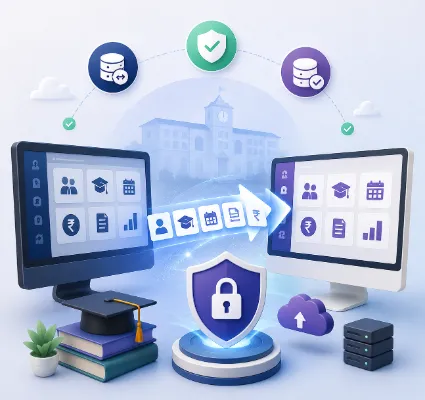
 There's a specific kind of trapped feeling school administrators describe to us, and it always sounds the same
 There's a specific kind of trapped feeling school administrators describe to us, and it always sounds the same: "our current ERP isn't working, but switching feels riskier than staying."
The fear is rational. Your ERP holds years of student records, fee histories, exam results and staff data. Switching means moving all of it, retraining every teacher, re-onboarding every parent, and doing the whole thing while the school keeps running, admissions don't pause, fees don't stop, exams arrive on schedule. One bad migration story from a neighbouring school and the decision gets postponed another year, while the problems that started the conversation keep compounding.
Here's what we can tell you from the other side of that fear: at One Flawless, a meaningful share of our 100+ schools came to us from another ERP. Our demo form literally asks "Yes, looking to switch" as a standard option, because switching is that common. Done with a plan, a migration is a bounded, manageable project measured in weeks. Done without one, it's the horror story your neighbouring principal tells. This guide is the plan: when switching is genuinely justified, what to demand from the new vendor, the data checklist, the parallel-run method, and the calendar timing that makes everything easier.
First: should you actually switch?
Not every ERP frustration justifies a migration, so start with an honest diagnosis. The complaints that usually don't justify switching: a feature you haven't asked the vendor to configure, staff who were never properly trained, or a one-time support failure. Raise these formally with your current vendor first; a migration to escape a training problem just relocates the training problem.
The complaints that do justify switching, and we hear these in most switch conversations: support that's chronically unreachable, especially during results week and fee season, when it matters most. An app parents refuse to use, or that the vendor stopped updating. Modules promised at sale that never arrived. Data you can see on screen but can't export or report on. Per-issue charges for things that should be configuration, your own report card format, your own fee structure. Repeated downtime during critical periods. And the quiet one that decides more switches than any feature gap: the sense that the vendor has stopped investing in the product, and your school is riding a sunset.
If three or more of those describe your situation, the cost of staying is already exceeding the cost of switching. The rest of this guide assumes you've decided; the pricing side of choosing the replacement, including how to compare quotes properly, is covered in our guide to school ERP pricing in India, and the full selection framework is in our guide to choosing the best school ERP software in India. This post covers the move itself.
Step 1: Get your data out while relations are good
The single most important step happens before you tell your current vendor anything: export your data now.
Request or self-serve complete exports of student master data, parent contacts, staff records, full fee history (paid, dues, fines, concessions), attendance records, exam results and report cards, transport assignments, library records and certificates issued. In usable formats, Excel or CSV, not PDFs of screens.
Why now? Because vendor cooperation is at its lifetime maximum before they know you're leaving. Some vendors handle exit professionally; others suddenly discover "data export charges" or turn a two-day export into a two-month ordeal once the switch is announced. If your contract mentions an exit fee, budget for it and pay it cheerfully; the data is worth more than the toll. And if your current vendor genuinely cannot export your own data in a usable format, that's not a migration obstacle, that's the final confirmation of your decision.
Step 2: The data migration checklist
Migration is where switches succeed or fail, so treat the data like the asset it is. The working checklist we run with every switching school:
Decide the history depth. Current-year data must move completely. For history, most schools migrate three to five years of fee and result records into the new system and archive the rest as exports. Migrating fifteen years of everything is possible, but it lengthens the project for records nobody queries.
Clean before you move. A migration is the best data-cleaning opportunity your school will ever get: duplicate student entries, outdated parent numbers, inconsistent name spellings, orphaned records of students who left years ago. Cleaning during migration costs hours; cleaning after go-live costs months of confusion. Map the structures. Your old ERP's fee heads, class naming, house system and grading scheme need explicit mapping to the new system's configuration. This is a sit-down session between your office and the new vendor's implementation team, and it's the meeting where a good vendor earns their fee.
Reconcile the money. Fee data gets special treatment: after migration, your accounts team must reconcile total collections, dues and concessions between old and new systems, to the rupee, before the new system goes live for billing. A fee ledger that doesn't reconcile is the fastest way to lose parent trust in week one.
Verify with real eyes. Before go-live, have class teachers spot-check their own class lists and a sample of report cards, and have the front office pull ten random student histories. Automated migration plus human verification is the standard; either alone is a gamble.
The vendor question that reveals everything here: "who does the migration, your team or mine?" At One Flawless, our implementation team leads it, your office verifies it. Any vendor who hands your office a blank Excel template and calls it migration support is telling you what the rest of the relationship will feel like.
Step 3: Time the switch to the academic calendar
When you switch matters nearly as much as how. The Indian academic year gives you natural windows, and one golden rule: never switch mid-term with exams or major fee cycles in flight.
The best window is the annual session change, March to May for most boards. The old year closes in the old system, the new session opens in the new one, fee structures reset naturally, and the summer gives staff training room before the September rush. The second-best window is a term boundary, with fees switched at the next billing cycle.
And here's the method that removes most of the risk regardless of window: the parallel run. For two to four weeks, run attendance and communication in the new system while the old one stays available read-only. Teachers build daily habit on the low-stakes modules, the office confirms reports match, parents onboard onto the new mobile app with time to spare, and only then do fees and examinations, the high-stakes modules, cut over. Phased cutover with a parallel safety net is how 100+ school implementations taught us to do it; big-bang Monday switches are how the horror stories get written.
Step 4: Move the people, not just the data
A migration that moves the data but not the habits fails by October, so plan the human side with the same rigour. Teachers need hands-on training in the modules they'll touch daily, attendance, homework, marks entry, in the actual app, with a refresher scheduled after two weeks when the real questions have surfaced.
Office staff need deeper sessions on fees, admissions and reports, plus a named support contact for the first month.
Parents need a simple onboarding: a circular with download links, a short how-to (fee payment, attendance, bus tracking), and, this works remarkably well, the first few circulars sent through both old and new channels so nobody misses anything during the changeover.
Management needs the dashboards configured on day one, because leadership that sees live smart insights from week one becomes the migration's loudest champion.
Also plan the integrations as their own mini-projects: biometric devices re-pointed to the new system, RFID cards re-mapped, GPS units reconnected, the payment gateway re-integrated and tested with a live transaction, and WhatsApp templates re-approved on the new platform. Each is small; forgetting any one of them is what makes go-live week feel chaotic.
Step 5: The vendor questions specific to switching
Beyond the standard demo and pricing questions (both lists are in our earlier guides), a switching school should ask five more. Have you migrated schools from our current ERP specifically, and can we call one? What's your migration methodology, and who owns each step in writing? What does the parallel-run period look like, and is it included? What happens if we find data discrepancies after golive, what's the correction process and window? And how do you onboard our parents, do you provide the circular templates, videos and support for the app transition, or is that ours to figure out?
A vendor who has genuinely done this before answers all five with specifics and school names. At One Flawless we ask about your current ERP in the first conversation precisely because the migration plan differs by source system, and because "looking to switch" schools are a category we've built a repeatable playbook for.
The realistic timeline
For a typical school, the switch runs six to ten weeks end to end: week one for data export and cleaning, weeks two to three for migration and structure mapping, week four for verification and reconciliation, weeks five to six for training and the parallel run on attendance and communication, and weeks seven onward for the fees and examinations cutover at the natural billing or term boundary. Larger schools and deeper histories stretch it; a well-prepared school with clean exports compresses it. What never works is compressing it by skipping verification or the parallel run, those weeks are the insurance, and they're precisely the weeks weak vendors suggest cutting.
Conclusion
Staying on an ERP that's failing your school isn't the safe option; it's the slow-motion expensive one. The risk you're actually afraid of, lost data, chaos at go-live, parent confusion, is real only for unplanned migrations. With your data exported early, a cleaning-and-mapping phase, rupee-level fee reconciliation, a parallel run at a session boundary, and a vendor whose team owns the migration rather than supervising yours, switching is a six-to-ten-week project with a defined end, after which the daily frustrations that started this conversation simply stop.
The schools that switch well all share one trait: they treated the migration as a project with an owner, a checklist and a calendar, not as a leap of faith. Everything in this guide is that checklist.
If you're on a platform that's holding your school back, book a free demo with One Flawless and tell us what you're currently running. We'll show you the platform configured around your fee structure and report cards, walk you through our migration playbook for your specific source ERP, connect you with a school that made the same switch, and give you a written week-by-week plan, including the parallel run, before you commit to anything. The fear of switching keeps schools trapped on bad software for years. A written plan, a reference call and a safety-net cutover are how that fear ends.
Frequently Asked Questions
When should a school switch its ERP?
When problems are structural rather than fixable: chronic support failures, an abandoned or unusable app, undelivered modules, inaccessible data, charges for basic configuration, or repeated downtime during critical periods.
Will we lose data when changing school ERP?
Not with a planned migration: export everything early in usable formats, clean and map the data, reconcile fee totals to the rupee, and verify with teacher and office spot-checks before go-live.
What is the best time to switch school ERP in India?
The annual session change (typically March to May), or a term boundary. Never mid-term with examinations or major fee cycles in progress. 4. How long does school ERP migration take? Typically six to ten weeks: export and cleaning, migration and mapping, verification and reconciliation, training, a two-to-four-week parallel run, then phased cutover of fees and examinations.
What is a parallel run in ERP migration?
Running the new system for daily modules like attendance and communication while the old system stays available read-only, so staff build habits and reports are verified before the high-stakes modules cut over.
Who should perform the data migration, the school or the vendor?
The new vendor's implementation team should lead it, with the school's office verifying results. A vendor that hands the school a blank template to fill is signalling weak support ahead.